
How to prepare and send your
stems for Mastering
Last Updated: December 20th, 2025
Read time: 5-Min
So you want to get your mix ready for stem mastering, where do we begin?
1. Rough/Reference Mix
The key to great mastering is helping us understand what direction you’re looking to take your sound in. This is best represented with a rough mix, as it allows us to listen to the stems in the context of the track and determine “Oh, they’re looking to drive this bass hard” or “I can tell that this crash in the high-end percussion is key to making this transition sit right”.
We’re not expecting anything polished (otherwise, why would you need us?). Just some rough levels that tell us what’s in your head.
If you’ve been struggling with areas of your mix sitting right, you could also refer us to a reference track that shares similar qualities to your track. For example, “Can you reference ‘Snooze’ by SZA when mastering this track, the bass-to-vocal relationship is something I’d love to achieve here.”

Please feel free to leave the master bus processing active for the rough mix.
When exporting stems, however, please bypass the master bus processing.
2. Master Bus


I get it, we all have FinalMix32.wav sitting in our computer with FinalMix33.WAV in the works. For stem mastering, a simple [Instrument, Track Name] scheme is great.
For example: Lead Vocals - Billie Jean
This helps us determine how important a stem group might be to the mix. For example, “Lead Guitar” is going to have a greater significance to the track than “Guitars 2”.
3. File Naming Schemes

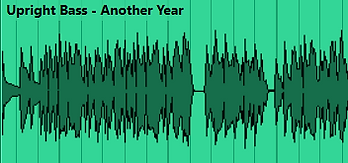
We have covered this topic a little more thoroughly in How To: Export Stems For Stem Mastering, but to summarise, we want to check that the export region is the same for every stem group.
If the track is 3:21 in total length we want to ensure all stem groups run from 0:00 to 3:21. Yes, even if the adlibs only come in for the final 20-seconds. We also want to check that there is sufficient headroom in the stem groups. To learn more about headroom, check out What Is Headroom?
4. Exporting/Bouncing Stems

We recommend uploading all files to a cloud server, as we have found this to be the most reliable over the years. We like Google Drive, DropBox and WeTransfer, but you can of course upload directly to the website.
5. Uploading Your Tracks/Stems
FAQs
How long does stem mastering take?
Depending on how many stems you are delivering to your engineer, stem mastering can take anywhere from a couple of days to over a week. During the stem mastering process time must be allocated for ear-breaks to allow for the engineer to remain objective over the sound and not over-mix. Here at Release Mastering, we deliver Stem Mastering projects within 3-days.
What does the stem mastering process typically look like?
Stem mastering usually begins with listening to a rough version of a mixdown and/or reference track to understand what the artist has in mind.
Then we can begin listening to the stems individually and identifying any noise or artefacts in the sound that need to be removed. Once all stems have been checked, level-balancing can begin.
For the full breakdown of how we do this please refer to our How to Level Balance/Gain Stage a mix post.
Once levelling is complete we move onto reductive EQ to help carve out space in the mix for each of the elements to exist without competition. Further enhancements such as analog saturation, multiband compression and light reverb may also be applied at this stage.
We can then move to the final mastering stage of adding glue via light compression and ensuring a appropriate final level is achieved. We then compare the stem master to the reference track and rough track and start the process of sharing the file.


